Self-order kiosk for delis & pizza shops
Tickets up to 15% bigger. Orders print in the kitchen.
The kiosk asks for extra cheese, toppings and a meal on every order. Keep your register. The kiosk works next to it. Try it here.
- Your menu with pictures
- Card at the kiosk, or pay at the counter
- Keeps taking orders if the internet drops
- Running as soon as the next day
A demo. Nothing is sent or charged.
In the kitchen
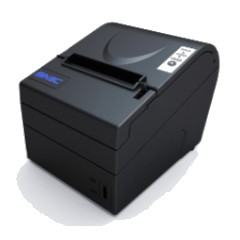
The order prints at the kitchen printer the moment the customer finishes. Card orders print as PAID.
- 600+stores on PKS
- 500+in the Philadelphia area
- $25M+in sales a month
- 60,000+transactions a day
- 550,000+kiosk orders a month
What bigger tickets add up to
Put in your own numbers.
Up to 15% comes from PKS kiosk data across all our customers. Your result depends on your menu and your customers. An estimate, not a promise.
Price depends on the kiosk. We text it back. No contract.
How it works
From yes to taking orders, as quick as the next day.
You set it up in minutes. Professional install is available.
After we check your store, you get our AI tool: take a photo of your menu and it builds your kiosk menu with pictures. The AI tool is free. Want us to set it up and customize it for you? That is a paid service.
Customers order and pay. The ticket prints in the kitchen. Change prices any time from the PKS website.
Why owners put a kiosk at the counter
Built for the lunch rush at a Philly deli, not for a chain.
Customers order themselves while you make food. Nobody waits to be heard over the grill.
No new register needed. The kiosk works next to the one you have.
The kitchen gets a printed ticket with every choice on it. No more “I said no onions.”
Paid orders print as PAID. Cash customers pay at the register with their order number.
If the internet drops, the kiosk keeps taking orders and tickets keep printing.
Change a price or sold-out item on the PKS website. The kiosk updates on its own, usually within minutes.
The kiosks
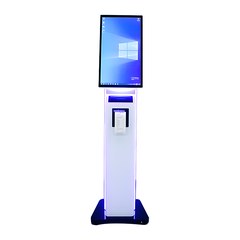
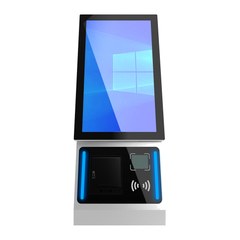
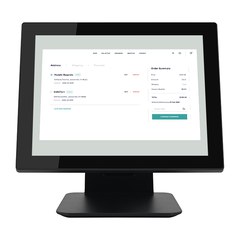
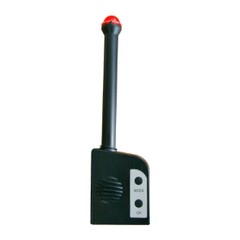
Standing, counter and countertop models, plus the kitchen printer and notifier. We set up your menu with pictures.
Questions owners ask
Do I need a new register?
No. Keep your register. The kiosk works next to it.
Who puts my menu in?
After we check your store, you get our AI tool: a photo of your menu becomes your kiosk menu with pictures. The AI tool is free. Want us to set it up and customize it for you? That is a paid service.
What about cash customers?
They order on the kiosk, choose “Pay at the counter” and pay at your register with their order number. The kitchen ticket says PAY AT COUNTER.
What if the internet goes down?
The kiosk keeps taking orders and the kitchen tickets keep printing.
How fast can I start?
As quick as the next day. We ship it; you set it up, or a technician installs it.
Is there a contract?
No contract. Hardware has a 1-year warranty. Terms
How do card payments work?
Card payments at the kiosk run through PKS Payments. Customers can also pay at your counter.
Get a price for your shop
Tell us where you are and what you sell. We call or text you back with a price for your kiosk, printer and menu setup.
Or call or text now:
215-967-9910PKS POS, 2402 Orthodox St, Philadelphia. No contract.
Kiosk card payments work with PKS Payments. Menu items and prices on this page are a demo.